When a neighbour reports an odour, you need to know where it came from, and you need to know fast. The latest SIMS3 update connects every step of that investigation, from the moment a complaint comes in to the moment you pin down its source. Here is how it works.
SIMS3: Digital Twin, Plume Mapping and Source Finder
Prefer to see it in motion? This video walks through how SIMS3 turns your facility into a live digital twin, maps odour plumes and tracks down the source.
Step 1
Receive Odour Events
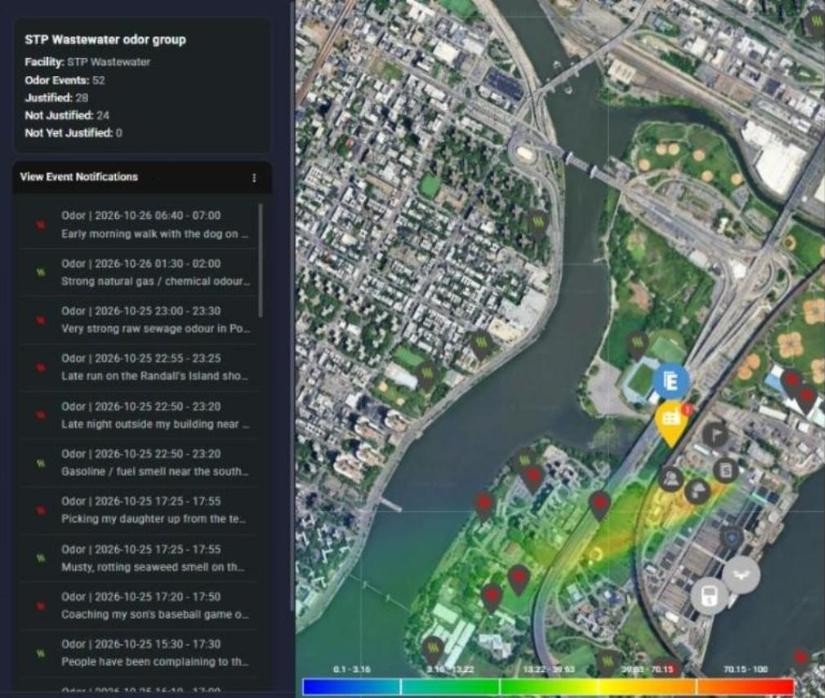
Every odour complaint logged in SIMS3 appears on the map with its time, location, intensity and the complainant’s own description.
The facility panel keeps a running count of justified and unjustified events, so you can spot patterns across the community at a glance.
Step 2
Automatic Justification
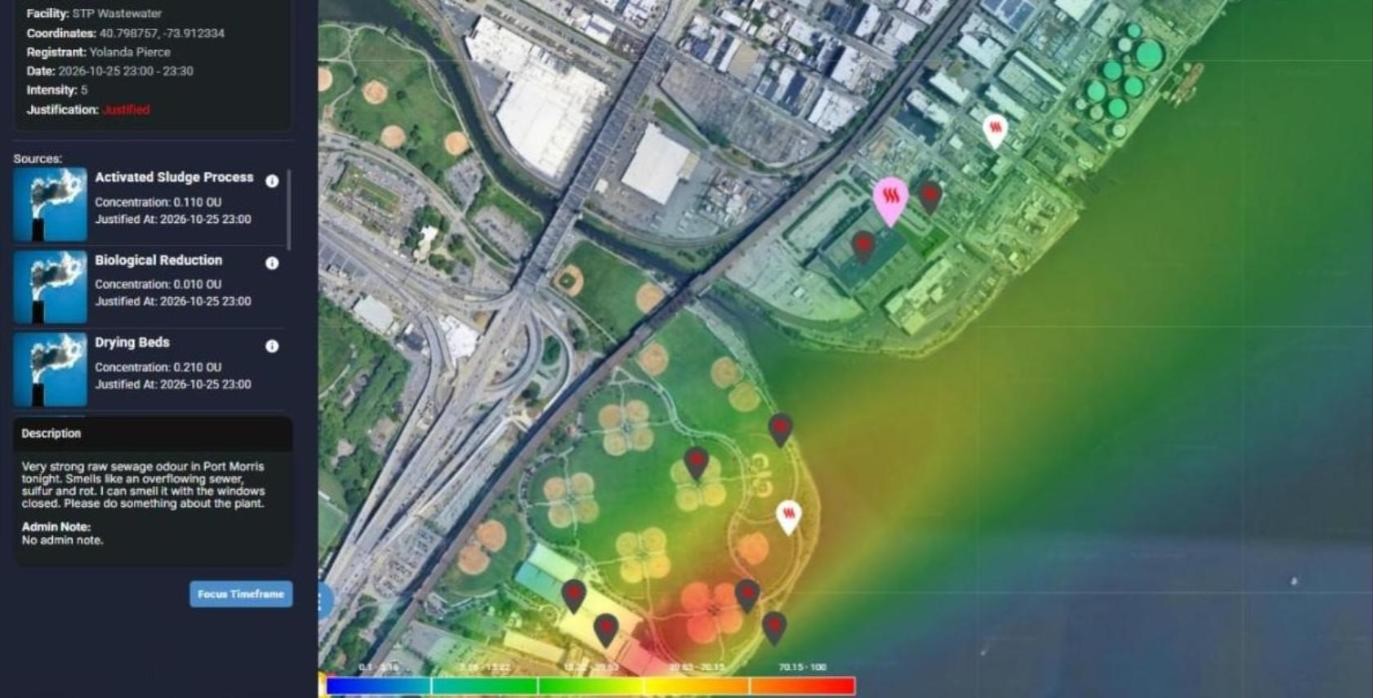
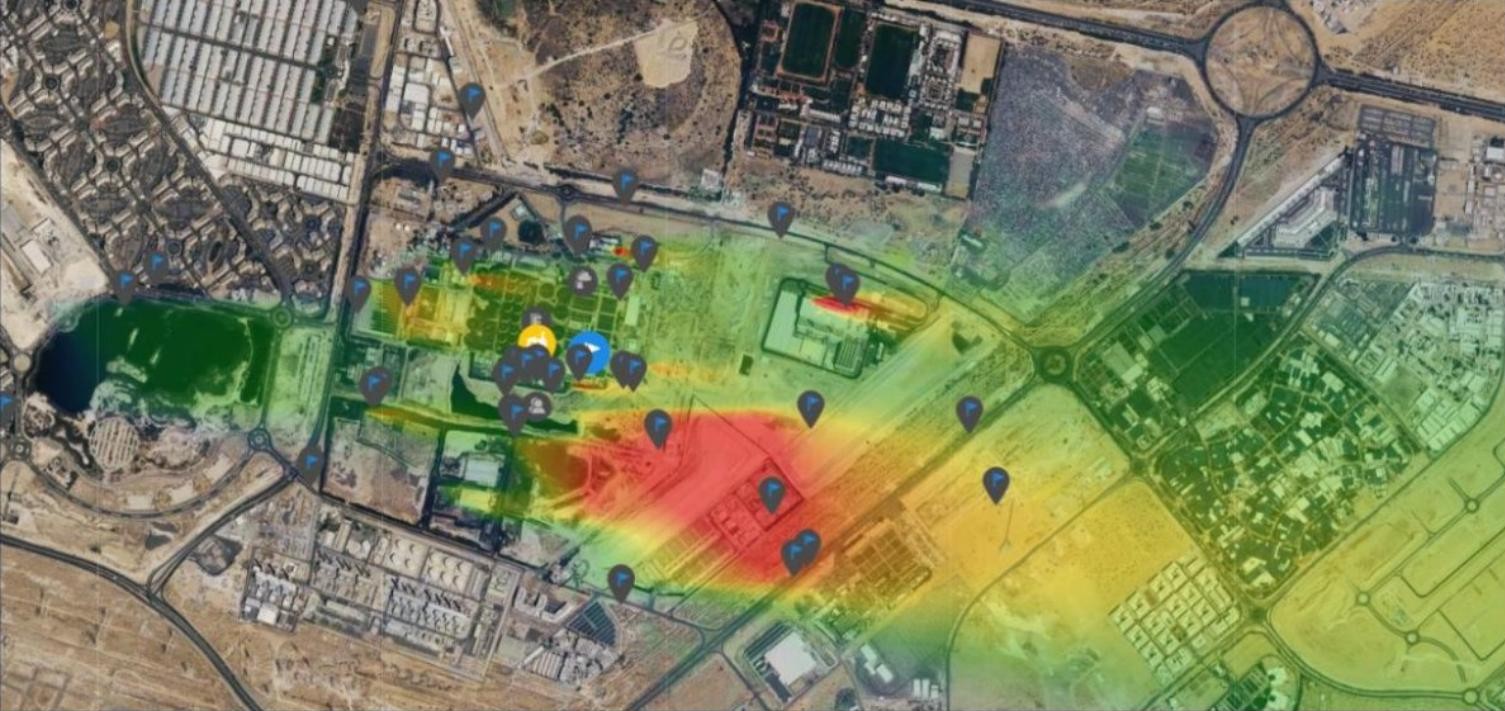
New events start out yellow while SIMS3 reviews them. About 15 minutes after an event is logged, SIMS3 checks whether a modelled plume from your facility reached that location during the reported time window. Events the plume reached turn red as justified, and events it did not reach turn green as not justified.
For every justified event, SIMS3 lists each contributing source with its concentration at the peak, so your team knows which part of the plant to look at first.
Step 3
Source Finder
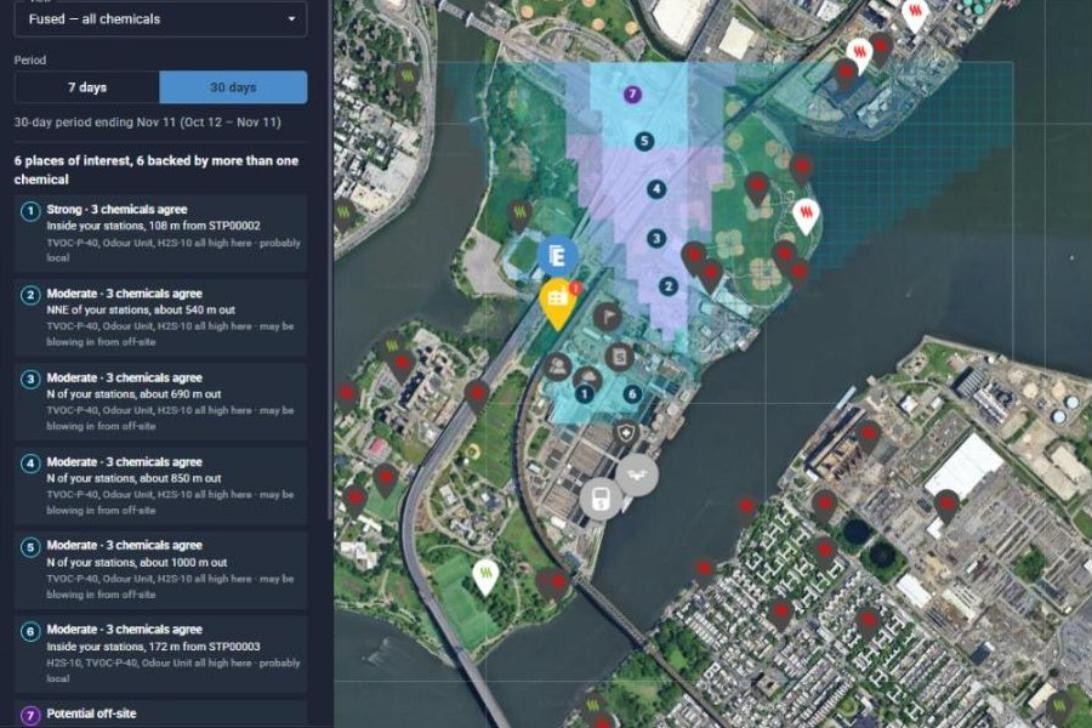
When an event is not justified, the odour may be coming from somewhere you have not modelled yet. Source Finder analyzes your monitoring data over the past 7 or 30 days and maps the most likely places of interest.
Each place is ranked by strength and shows how many chemicals agree, how far it sits from your stations, and whether the odour is probably local or blowing in from off-site. You can view all chemicals fused together or narrow the search to a single reading such as H2S or TVOC.
Step 4
Inspect the Plume
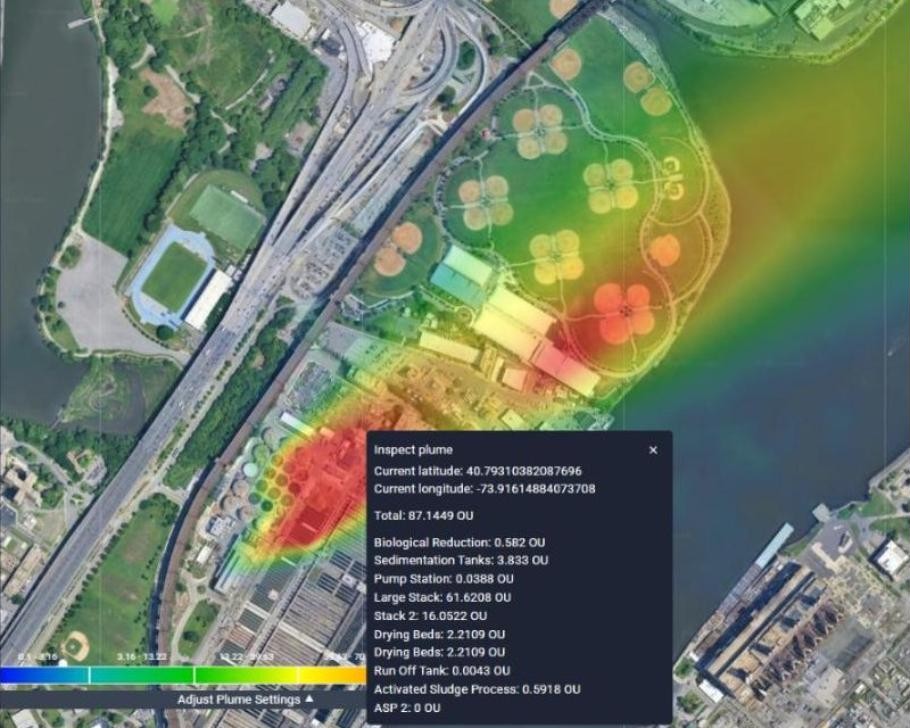
Turn on the Inspect Plume tool and click any point on the map. SIMS3 shows the total odour concentration at that exact spot along with the share from each emission source.
It is the quickest way to answer a resident who asks what they are smelling right now, and where it is coming from.
Step 5
Sources Linked to Sensor Readings
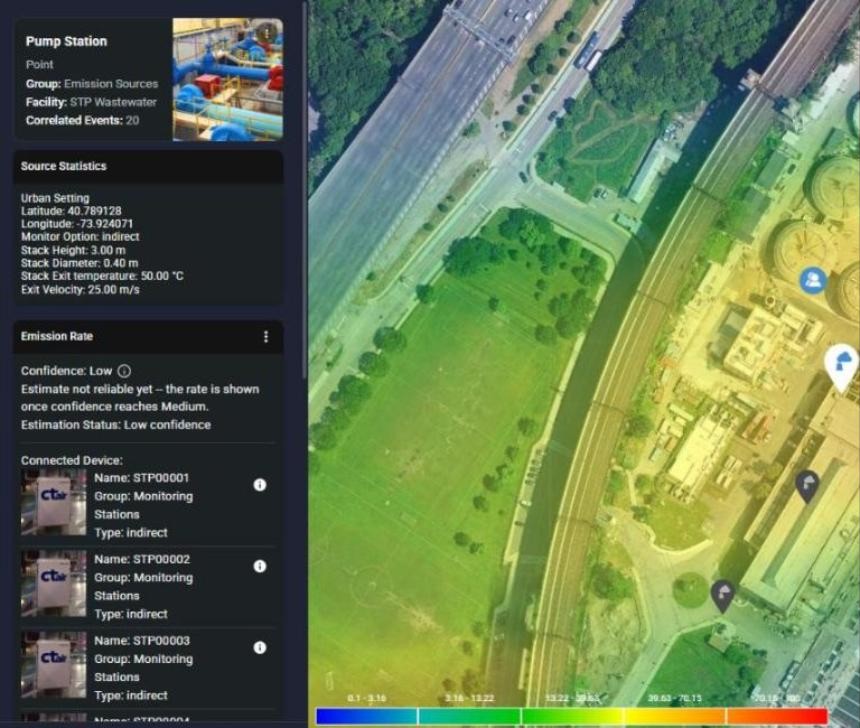
Emission sources no longer have to rely on a single fixed rate. Each source can now use one of three monitoring options.
Fixed uses the emission rate you enter.
Direct Monitoring ties the source to a specific sensor reading on a nearby unit, so its emission rate follows that sensor live.
Indirect Monitoring estimates the rate from a group of nearby stations and reports a confidence level. SIMS3 only displays the estimate once confidence reaches Medium.
New
Field Surveys with the SM100i
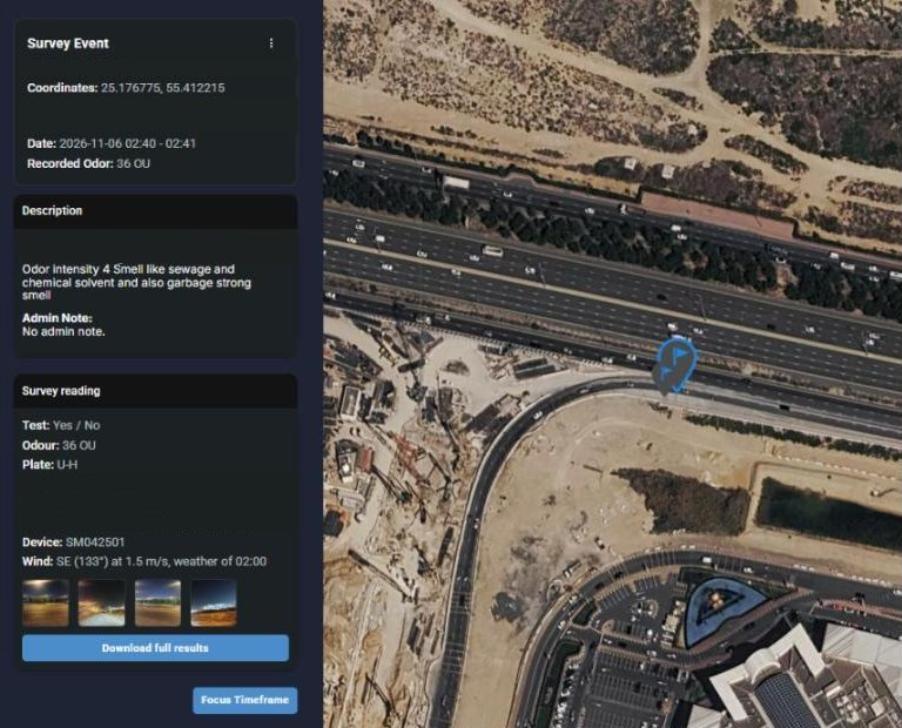
The new survey feature brings your field work into SIMS3. Your team can record observations at set survey points, attach photos, and log readings from the Scentroid SM100i portable olfactometer directly against each point.
Survey points are checked against the modelled plume just like odour events, so your field measurements can confirm what the model shows and help fine-tune your emission source data over time.
Every Reading in One Place
Open any survey point to see the full SM100i reading, including the test type, the measured odour in OU, the device, the wind at the time of the test and photos taken on site.
See It on Your Own Facility
Interested in SIMS3? Book a consultation and our team will give you a live demo of these tools and talk through how they would work for your site, your emission sources and your neighbours.